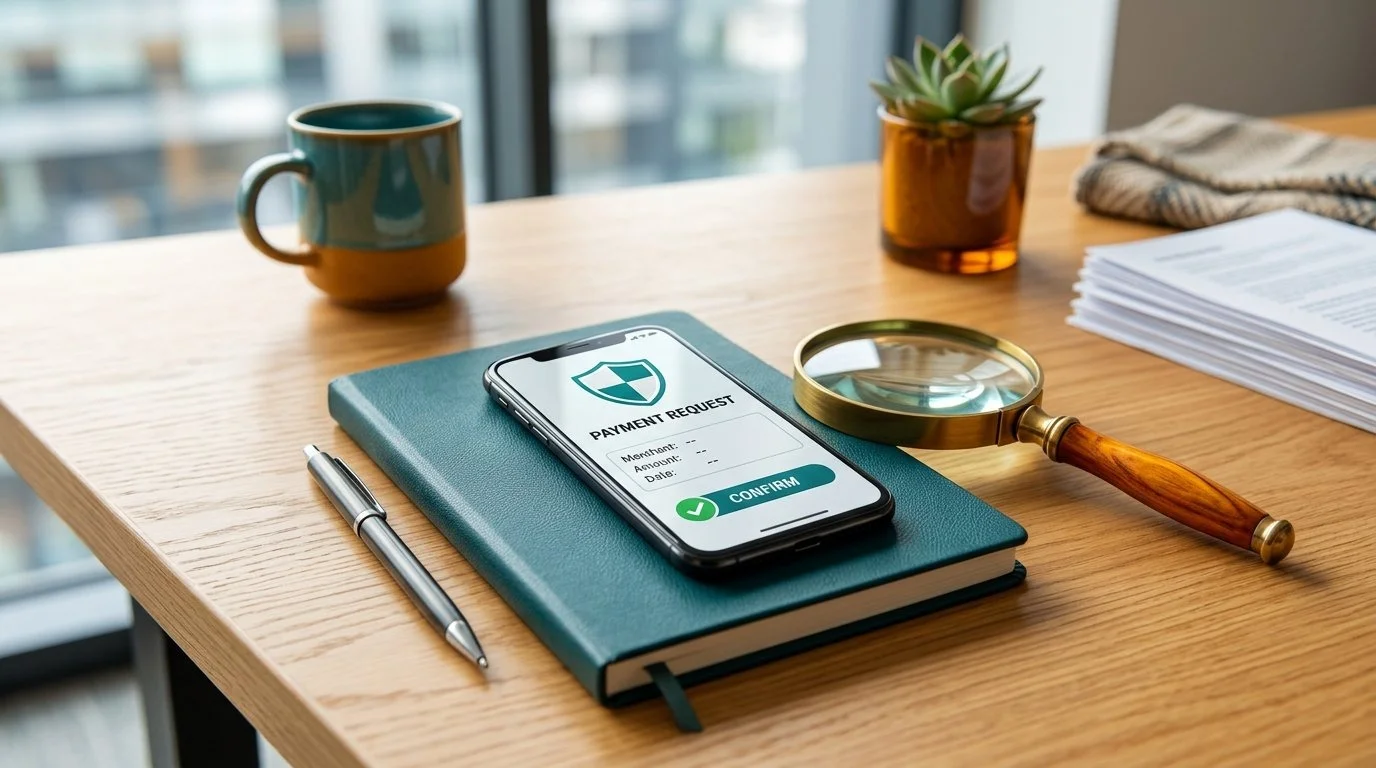
A payment request can arrive at the exact moment you expect to make a transaction. That timing does not prove the request is genuine. Before approving, check who is requesting money, which account will be debited, the amount and the purpose shown in your payment app.
This article is a decision guide for checking a request before authorisation. It does not describe an actual payment flow or verify a particular recipient. The examples are fictional. A website, logo or message does not establish that an operator is licensed or that gambling is lawful where you live.
Also Read:BBL Betting: What the Designated Batter Rule Means for Team Selection
First: am I being asked to pay or receive?
The wording on the screen matters more than the story told by a caller. A collect request asks you to authorise a payment to the requester. If a stranger says you must approve such a request to receive a refund, pause and verify independently. Receiving a UPI payment does not require you to disclose or enter your UPI PIN for the purpose of receiving the money.
Do not confuse this with every possible UPI product using the same authentication flow. Some payment options, such as UPI Lite, can support PIN-less payments. A transaction can still debit your funds without a PIN in those circumstances, so “it did not ask for a PIN” is not proof that a request is safe.
A Mahadev Book Deposit transaction-status guide can help explain recorded states, but it cannot verify a payment request sent to your phone. Your bank or payment app is the appropriate source for the actual transaction record.
The five-field pause
Before any approval, review five things on the payment app's own confirmation screen:
Also Read:BBL Betting: How the Power Surge Changes a Two-Over Window
- Direction: Does the screen say you are paying or receiving?
- Recipient: Who is shown as the payee, and is that the recipient you independently expected?
- Amount: Is the amount correct, including any fee or recurring instruction?
- Source: Which account or payment balance will be debited?
- Purpose: Does the reference or description match the action you intended?
A match on one field is not enough. A familiar logo can accompany an unfamiliar payee. A familiar amount can appear in a request to the wrong recipient. If any field is unexpected, decline or leave the request unapproved while you verify it through a trusted route.
Step 1: independently establish the recipient
Do not rely solely on the name or profile picture in a message. Use the payment details you obtained through an independently verified channel and compare them with the payee details displayed by your payment app. Names can be similar, and the way a bank or app displays a recipient may vary.
If a message tells you that the recipient has suddenly changed, stop and verify the change separately. Do not call the number in the same message and treat its reassurance as independent confirmation. Open the provider's official app or use a contact method you located yourself.
A Mahadev Book Login information page does not authenticate an unsolicited payment instruction. A sender who knows your account name or presents a convincing screenshot may still be impersonating someone else.
Step 2: understand the amount and direction
Imagine a fictional message says, “You will receive ₹2,000; approve the request now.” Your payment app instead shows that ₹2,000 will be paid to the requester. The two statements conflict. Do not approve while trying to resolve the contradiction; contact your bank or payment provider through its verified channel.
The amount should also be checked digit by digit. A misplaced zero, a changed decimal point or an unexpected fee can turn a familiar-looking request into a different transaction. Do not let someone rush you through the confirmation screen or direct your finger over the approve button.
A payment request is not a test that must be completed to prove your identity. If the request is unfamiliar or unwanted, do not approve it. Depending on the app, you may be able to decline or report it; check the app's instructions rather than assuming a particular button exists.
Step 3: check whether it is one payment or a mandate
A one-time payment and a recurring authorisation are different. A mandate may permit later debits under its stated limits and schedule. If an approval screen refers to recurring payments, AutoPay, a frequency, an end date or a maximum amount, read those fields carefully. Do not assume that a small initial amount means no further payments are authorised.
Ask what the mandate does, how it can be cancelled and which app or bank displays it. If you do not understand the authorisation, do not approve it. The actual features, limits and cancellation process depend on your bank, payment application and applicable rules.
A Mahadev Book Online Betting payment-safety article may discuss these precautions, but only your own payment provider can show the exact instruction presented to your account.
Step 4: be careful with QR codes and links
Scanning a QR code can open a payment flow. Check what your app says before proceeding; a QR code is not evidence that you are receiving money. A code sent in a chat may be substituted, and a printed code can be covered or changed. Verify the intended recipient in your payment app using a trusted source.
Avoid entering banking details into a page opened from an unsolicited link. A webpage can imitate a legitimate payment screen. If you need support, open the payment app yourself and navigate to its help section, or contact the bank using a number you independently obtained.
Do not install screen-sharing or remote-control software at the request of someone claiming to resolve a payment. Even when a person says they cannot see your PIN, a remote session may expose other sensitive information or enable actions you did not intend.
Step 5: protect authentication details
Never share a UPI PIN, banking password, card security code, recovery code or one-time password with a caller, chat contact or supposed support agent. An OTP may authorise a specific action; sharing it can give someone access even if they know only a few other details.
If an app legitimately asks for an authentication step, first verify that you initiated the action and that the amount, recipient and purpose are correct. Authentication confirms an action; it does not make the underlying recipient trustworthy. Some products use different authentication methods, so read the screen rather than relying on a single rule about PINs.
An article about Mahadev Book Registration does not establish that an unexpected payment request is part of account creation. Registration and payment are separate actions; ask why a payment is requested and verify independently before authorising anything.
What if a legitimate-looking request is unexpected?
Leave it unapproved while you check. If the request is displayed in an app, use its documented decline or report option where available. Take a limited screenshot only if useful for your bank or payment provider; remove unrelated personal information before sharing it through a verified private channel.
Do not send a test payment to confirm identity. A scammer can acknowledge a small amount just as a legitimate recipient could, and a successful test does not prove that a larger payment is safe. Independent verification of the recipient and the transaction is more useful.
A Mahadevbook Signup search may lead to an account form, but a form's appearance does not establish the authenticity of a separate payment request. Check the actual recipient and the reason for the request.
Fictional scenario: the ‘refund verification’ request
A person says a prior payment failed and sends a request for ₹1,000, claiming that approval will unlock a refund. The payment app displays “pay ₹1,000” to a recipient the user does not recognise. The safe response is to leave the request unapproved, contact the payment provider independently and ask about the original transaction.
A refund, reversal, payment request and complaint are separate concepts. A support case may have its own reference, while the original payment has a transaction reference. Neither identifier is a reason to share credentials. Keep relevant records private and give them only to a verified organisation that needs them.
This example does not prove that every refund message is fraudulent. It shows why the payment app's direction and recipient must be checked rather than accepting a caller's description.
Fictional scenario: a familiar amount and unfamiliar payee
A user intends to pay ₹500 and receives a ₹500 request. The amount matches, but the displayed recipient differs from the independently established recipient. Matching the amount alone does not resolve the discrepancy. The user pauses, declines the unexpected request if the app offers that option and contacts the payment provider through a verified route.
If a genuine business uses a separate payment processor, the displayed name might differ from its trading name. That possibility is not a reason to approve blindly. Ask the business through a separately verified channel to explain the payee, and contact your bank or app provider if uncertainty remains.
If you already approved
Act promptly. Open your payment app and bank account to confirm the transaction status and recipient. Contact the bank or payment provider through an independently verified channel, explain that the payment may be unauthorised or fraudulent, and ask for the appropriate reporting and escalation process.
In India, the national cybercrime reporting system lists helpline 1930 for financial cyber-fraud reporting. Availability and procedures can change; use the official portal or local authorities where appropriate. Prompt reporting can help the investigation but does not guarantee that funds will be recovered.
If you shared a password, OTP or other credential, follow the bank's official incident guidance immediately. Consider the safety of your email account and device as well. Do not wait for the person who sent the request to “fix” the problem.
Keep a concise record
Record the approximate time, amount, app used, displayed recipient and transaction reference if one exists. Note whether you approved, declined or left the request pending. Separate your observations from assumptions: “the screen showed a payment request” is more useful than claiming a transfer occurred if the bank record does not show one.
If a complaint is opened, save its reference separately. A complaint number is not necessarily the payment transaction reference. Avoid posting either number publicly with your name and account information.
The Mahadevbook Login highlights common scam patterns. A working website or a search result alone is not proof of a legitimate payment instruction.
A final decision tree
Did I initiate the action? If not, do not approve; verify independently.
Does the app show the expected direction and recipient? If not, stop and investigate.
Is the amount, source and any recurring instruction correct? If not, decline or leave the request unapproved while you check.
Has anyone asked for a secret or remote control? Stop sharing information and use the provider's official contact channel.
Has money already left unexpectedly? Contact the bank or payment provider promptly and record the case reference.
Why a successful-looking screen is not always the final record
A message may contain an image saying “successful,” but an image sent by another person is not your bank statement. Open your own bank or payment app and check the actual transaction entry. A screenshot can be edited, reused or taken from a different transaction, and it may omit the account or date needed to understand it.
Likewise, a pending status is not identical to a confirmed debit or credit. Record what your own app displays and contact the provider if the status is unclear. Do not repeat a payment simply because someone says the first one failed; verify the existing transaction first to avoid creating a second instruction while the first is unresolved.
If the payment app displays an entry you do not recognise, note its date, amount and reference. Check whether another authorised user of a shared account initiated it, if relevant, but do not delay contacting the bank when fraud is suspected. Your bank can tell you which reporting process applies to the actual account.
Payee names, identifiers and small discrepancies
A recipient can have a trading name, a legal name and a payment address that look different. This is one reason to check carefully, not a reason to assume a mismatch is harmless. Compare the displayed details with independently verified information and ask the provider to clarify before approval if they do not match.
Do not publish a payee's full payment address or your own transaction reference to resolve the issue in a public comment thread. If the bank needs a reference, provide it privately through the bank's verified channel. A partial screenshot may be sufficient for an initial question; ask which specific field is needed before sharing more.
The purpose field is also useful but not conclusive. A sender may type a familiar order number or a reassuring description into a request. The actual recipient, direction and amount remain essential. A familiar remark cannot transform an outgoing payment into an incoming refund.
When a friend or family member is helping
You can ask someone you trust to read the screen with you, particularly if the text or language is difficult. Keep control of the device and authentication yourself. Explain that you want help understanding the direction, recipient and amount—not permission for someone else to approve an unknown payment.
If the helper is remote, avoid sharing your screen while private banking information or an authentication prompt is visible. Describe the non-sensitive wording instead. An unexpected caller who offers to “help” is not the same as a person whose identity you have independently confirmed.
A person can make a well-intentioned mistake. If their interpretation conflicts with the payment app's wording, stop and ask the bank or app provider. A second opinion is not a substitute for reading the instruction that will actually be authorised.
Questions to ask the payment provider
A clear enquiry might ask: “Does this screen represent a payment from my account or a request for money to be sent to me?” Another useful question is: “What is the official way to report a collect request that I did not initiate?” If the concern involves a recurring instruction, ask where the mandate can be reviewed and how cancellation works.
Provide the time, displayed amount and any reference the provider specifically requests through its verified support route. Keep the report factual. You can say you do not recognise the request without claiming a crime has definitely occurred; the bank or relevant authority can investigate.
Finally, write down the case number, the date reported and the next step given by the provider. A case reference is an organisational record, not a promise of reimbursement. If you receive another unsolicited call about the case, verify it independently before revealing even the reference or other personal information.
A payment decision should also reflect the purpose of the underlying transaction. Even when the payee is correctly identified, a reader should independently check whether the service is permitted in their location and whether the payment fits their personal financial limits. A verified payee is not a guarantee that a transaction can be reversed or that the service is authorised. If an offer is conditional on making an immediate payment, take time to read its terms and decline if they are unclear.
Official Regulatory & Industry References
Mahadev Book adheres to industry compliance, fair play principles, and statutory regulatory standards: